Supplier Information Form Template: Free Vendor Registration Form (Word)
A free Word vendor registration form that collects company, contact, bank, product and document details in one place — how to fill it in and what comes next.
What is a supplier information form?
A supplier information form (vendor registration form) collects a new supplier’s legal name, tax and registration details, contacts, bank details, products and supporting documents on one form before the supplier is set up in your system. The supplier completes it; the buyer checks it, opens a supplier code and, where needed, evaluates the supplier and adds it to the approved supplier list. The free Word template below has six sections plus a check section for the buyer.
Free supplier information form template (Word)
Editable vendor registration form: the supplier completes it, the buyer checks it. No sign-up.
General template; adapt it to your own process and document list.
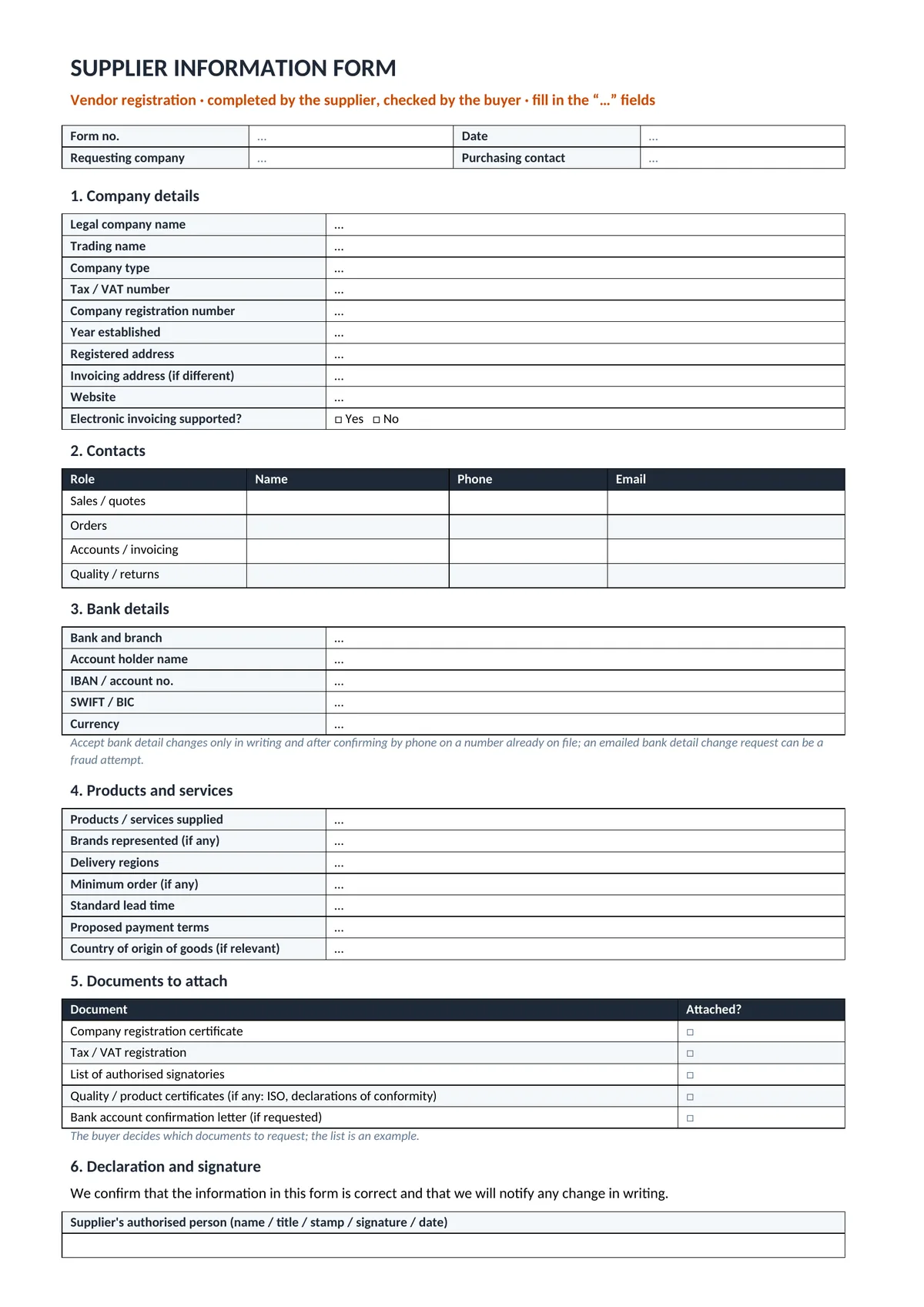 — open full-size image
What goes on the form?
| Section | Content |
|---|---|
| 1. Company details | Legal and trading name, company type, tax/VAT and registration numbers, year established, registered and invoicing address, website, electronic invoicing |
| 2. Contacts | Name, phone and email for sales, orders, accounts and quality/returns |
| 3. Bank details | Bank and branch, account holder, IBAN or account number, SWIFT/BIC, currency |
| 4. Products and services | Product groups, brands represented, delivery regions, minimum order, lead time, proposed payment terms, country of origin of goods where relevant |
| 5. Documents to attach | Registration certificate, tax/VAT registration, authorised signatories, quality and product certificates where relevant, bank account confirmation letter if requested |
| 6. Declaration and signature | Information is correct; changes will be notified in writing |
| Buyer’s use | Checked by, supplier code, bank details confirmation, added to the approved list or not |
How to fill it in
- Write the legal name exactly as registered — invoices and payments are matched to it.
- Give a separate contact for each role so quotes, orders and invoices reach the right person.
- Describe product groups in the buyer’s words — they decide which requests you are asked to quote for.
- Send the documents with the form. The buyer decides which documents are required; the list on the form is an example.
- Notify changes in writing and update the form when the address, bank or signatories change.
Bank details: a warning
Accept a change of bank details only in writing and after confirming it by phone on a number you already hold. An emailed request to change bank details can be a fraud attempt; record the confirmation in the buyer’s section before paying.
Personal data
The form contains personal data of the contact persons; add your own privacy notice where required by the data protection law that applies to you.
After the form: evaluation and approval
The information form introduces the supplier; it does not show whether the supplier is suitable. Use the supplier evaluation form to score it and the approved supplier list to track approved suppliers; both sit inside a purchasing procedure. To set AKSCO up as a supplier, send us your form via the contact page.
Frequently Asked Questions
Who fills in the supplier information form?
The supplier completes and signs it; the buyer checks it, opens the supplier code and records the check in the last section.
What documents should a supplier attach?
The buyer decides. The example list on the form: registration certificate, tax/VAT registration, list of authorised signatories, quality and product certificates where relevant and, if requested, a bank account confirmation letter.
Is a supplier information form the same as a vendor registration form?
Yes — both names are used for the form that sets a new supplier up. A supplier evaluation form is different: it scores the supplier’s suitability.
Related guides
Supplier Evaluation Form Template
Score a supplier before it goes on the list — free Word and Excel.
Read moreApproved Supplier List Template
Track approved suppliers and document expiry in Excel.
Read morePurchasing Procedure Template
Steps from request to payment, approval limits and records — free Word.
Read moreSend your list — your quote is ready within 1 business day.
A list, a photo or an Excel file — whatever is easiest. On standard items we aim to quote the same business day. Custom production, imports or 50+ line lists can take longer; when they do, we tell you the timeline in writing on the day we receive the request.